The WordPress Recipe Card Creator Plugin makes it easy to provide printable recipe cads to your readers with minimal additional work on your part.
Creating a New Post
When you are writing a new post, you will notice several additional fields you can fill in. (Click to enlarge)
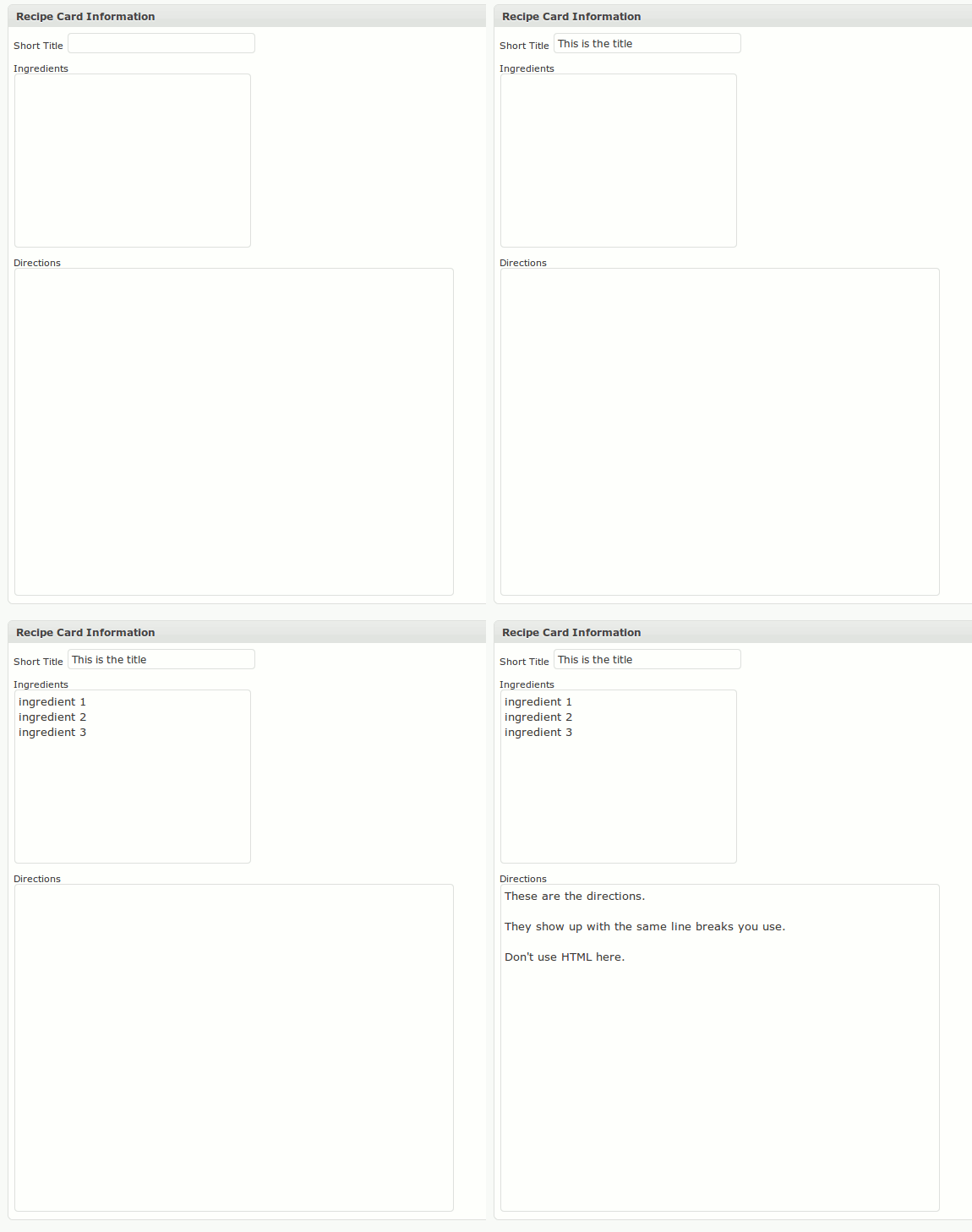
These provide the text that will appear on the recipe card. You will have to copy and paste from the main post, since there is no automatic way to identify what should go in each field.
Next is a new option in the right sidebar to set a thumbnail image for the post.
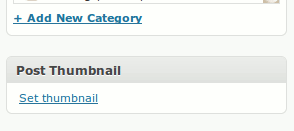
This will bring up the normal image selection box. (See here for how to add an image in WordPress.) One change is that at the bottom of the window, where you would normally select “Insert into post” you will select “Use as thumbnail”.
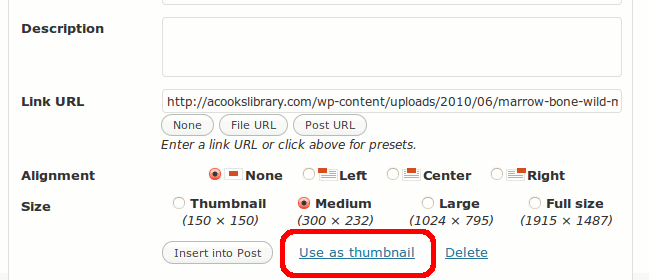
NOTE: This is a new feature as of WordPress 2.9. The thumbnail image will also appear (in some themes) in archive and search listings, or in RSS feeds.
A “Recipe Card” link will appear at the bottom of the post.
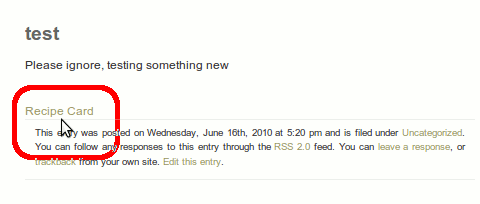
This will link to the PDF of the recipe card.
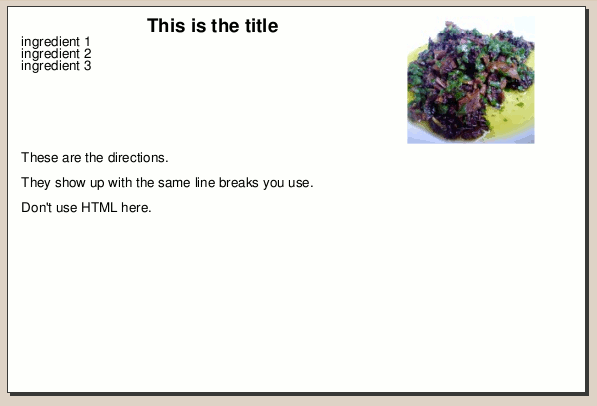
How To Configure Recipe Card Creator
Recipe Card Creator adds a menu option under the “Settings” menu.
This brings up the RCC Settings screen. (Click to enlarge)
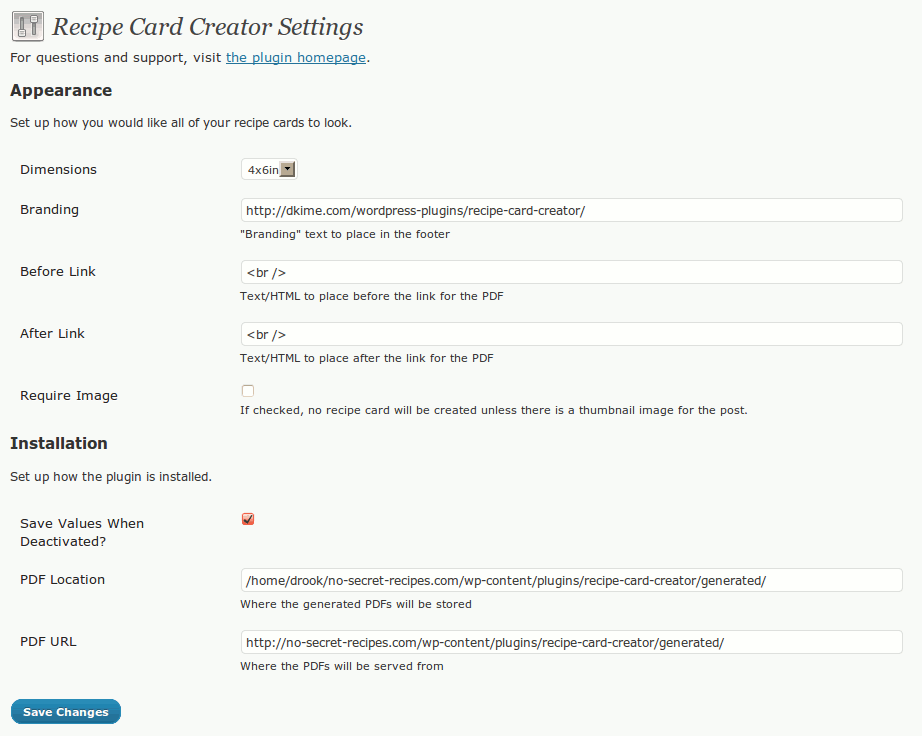
Appearance Settings
- You can select the format of the cards from a few standard sizes.
- “Branding” is the footer text that will appear at the bottom-right of each card.
- The “Before Link” and “After Link” settings contain the HTML that is added around the “Recipe Card” link at the bottom of your post.
- “Require Image” determines whether a recipe card will be created if there is no thumbnail image attached to the post.
In the current version, the branding will always be italics, and aligned right. (Click to enlarge)
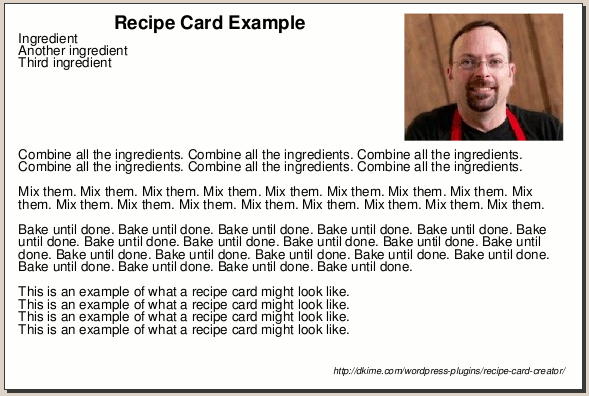
This will be configurable in a future update.
Installation Settings
These settings are pre-populated based on how your WordPress installation is set up. You normally wouldn’t change them unless you manually change the directory that plugins are installed to.
If you do change these settings and break things, you can un-check the “Save Values When Deactivated” box. Then deactivate and reactivate the plugin, and the default settings will be restored.
Changes on the roadmap
- Make the “Recipe Card” text a configurable option
- Add more “format” options
Is there anyway you can modify this so that the individual can decide the size of the card.
Similar to The Pioneer Women’s setup: http://thepioneerwoman.com/cooking/print-recipe/122634/#size3x5
Angel, I prefer all recipes in my recipe box fit on one card, so I always check to make sure what I write fits on one. If the reader picks a different size that might not work.
But, I see that it automatically flows to multiple pages, so there’s no reason not to let the user pick if that’s what they prefer. Give me a few days and I’ll see if I can add that option.
Sounds great. I just really liked the it allows the options and so far haven’t found anything that works as that particular plugin does.
Last question, how customizable is this plugin? For instance, with the plugin above it can be coded into the theme without opening into a new page and losing the style settings. If these two features could be added I’d DEFINITELY be purchasing this and would be willing to donate for the time that goes into the modifications. 🙂
Letting the user choose the size should be pretty easy. Getting it to appear on-screen like that would take quite a bit more work. I’ll get the first change done and update here, then take a look at the second.
I definitely understand. Last thing, I think you should be able to insert HTML and have the recipe card output it.
This is specifically important for items that need to be bolded or italicized to denote importance.
Character formatting (bold and italic) and an HTML parser are a bit tricky. There might be some existing libraries I could check out, though. Stay tuned.
Drew, I’m having some issues with the plug-in after I’ve installed it. My “branding” is not showing up on the pdf and I don’t have a “post thumbnail” selection box. I do have a “featured image” box, but when I add an image, that image is not showing up in the pdf. Let me know if you have any solutions. Thanks!
Natalie, the “Post Thumbnail” was renamed “Featured Image” in WordPress 3. I should go update the tutorial. But yes, that should be working.
What version of WordPress are you using?
If you want me to check it out, create an admin user account for me to log in and I’ll check the configuration and see what’s going on. Set my email as “drew@dkime.com” and let the system send me the password.
Thanks, Drew. I’m using the latest version of WP. I’ve set up an account for you so expect an email shortly. Please email me after you take a look around. NatalieLQuinn at gmail dot com
I’m interested in the same question Angel asked….Is there anyway you can modify this so that the individual can decide the size of the card. Have you found a way to do it?
thanks.
Vanese
Drew,
Does this plug in automatically do the new google micro formatting?
-Kirsten
Kirsten, I’ve contacted the author of another plugin that handles the microformats to see about merging the two. I haven’t heard back yet, so I’m starting to look into modifying mine. That will take a bit longer, obviously, but I want to do it for my sites anyway. I’ll post an update here when I have a change.
I just purchased your plugin.
I have to tell you that in wordpress 3.2 there is no longer
an option to set thumbnail, rather now it is featured image.
It is not your fault, but this so not what I was looking for.
I too was looking for something more along the lines
of http://thepioneerwoman.com/cooking/print-recipe/122634/#size3x5
a little more configurable as well, and the ability to change download folder.
When I changed the download folder, all I get is a 404 error or an html link to the post.
I am a bit disappointed, but thats my fault, not yours, at least it was only 4.95 so no great loss. Thanks anyway, you have done far more than I could have done on my own that is for certain. BTW, also, there is no print this page after purchasing for record keeping.
Deborah, I’ll have to take a look at how it works with 3.2 I’m pretty sure I’m up-to-date on a site where I’m using the latest version of the plugin, but I know I haven’t updated the tutorial above to reflect the new name for featured images.
When you changed the download folder, did you change it to a folder that already exists, and that the webserver has access to write to? I don’t think I built in a step to create the folder if it’s not already there.
Once I check these two issues, if I find anything that I can fix I’ll send you the updated version.
Thanks Drew, how nice of you.
Sorry but I had a family emergency and was not able
to check back until now.
I had created a new folder in the root of my site and named it recipes.
Yes, I chmod it to 777.
Are we able to print these recipes once we have finished?
Traci, this plugin generates PDFs, which are designed to be printed out.